
ARTICLE
AUTHOR:
Josh Shelton, CPP, CTM

Josh Shelton, CPP, CTM
Partner, Group Nine Risk Consulting
Autonomous devices (drones, ground robots, and self-driving patrol vehicles) can move through a property, collect information, and follow programmed routes. But the important question for a property manager isn’t how any of it works. It’s whether the device solves a defined property need better than, or in support of, the cameras, lighting, access control, and patrols you already have.
These devices shine on large properties, during low-activity hours, and in places routine patrols eat up staff time: parking areas, perimeters, spaces that are hard to watch consistently. But autonomous does not mean unattended. Someone still has to review the alerts, figure out what’s happening, and act. A device that detects a concern with no monitoring and response process behind it adds information
without adding security.

DRONES
Drones give you a temporary or scheduled view of roofs, parking areas, construction zones, and perimeter lines, useful for inspections, alarm verification, event oversight, and patrols on larger sites. Some are flown by a pilot; others fly an approved route and return to a charging station on their own. You don’t need to become a drone technician. You do need to know who is responsible for the flight, who watches the video, what happens when an alert fires, and when the device can’t operate. Cost is a complete service, not the price of the aircraft: operator or monitoring service, charging equipment, software, insurance, maintenance, training, compliance, and the days weather or repairs ground it. A trial deployment tells you whether the benefit is real before you commit.
Tethered drones, which connect to a ground station by cable, can watch one spot for hours. For most apartment and commercial properties, that’s something you rent for a week, not something you buy.
Ground Robots
Ground robots patrol walkways, garages, and parking areas at a walking pace, maintaining a visible presence where fixed cameras and occasional patrols fall short. Depending on the model, they add lights, a license plate reader, or a two-way speaker to a live operator. The question is not how many features a robot has, but which ones your staff would actually use on a Tuesday night.
Robots are best at routine work: checking doors, watching parking areas, flagging blocked fire lanes, documenting conditions after hours. They cannot handle confrontations, emergencies, or anything requiring judgment and personal interaction. And their presence can confuse tenants as easily as it deters trespassers, so think through signage, resident communication, noise, and routes before placing one in an
occupied environment.
Practical Limitations
Stairs, curbs, gravel, standing water, snow, crowds, doors, and temporary obstacles can all interrupt a robot’s route. Walk the proposed route with the provider, run a live trial during normal operations, and confirm what happens when the robot stops, gets stuck, or needs repair.
Robot patrols also generate enormous amounts of video and alert data. Decide up front what’s useful, how long it's kept, who can view it, and how false alerts get corrected. Collecting more than staff can review creates cost and privacy concerns without improving safety.
Autonomous Patrol Vehicles
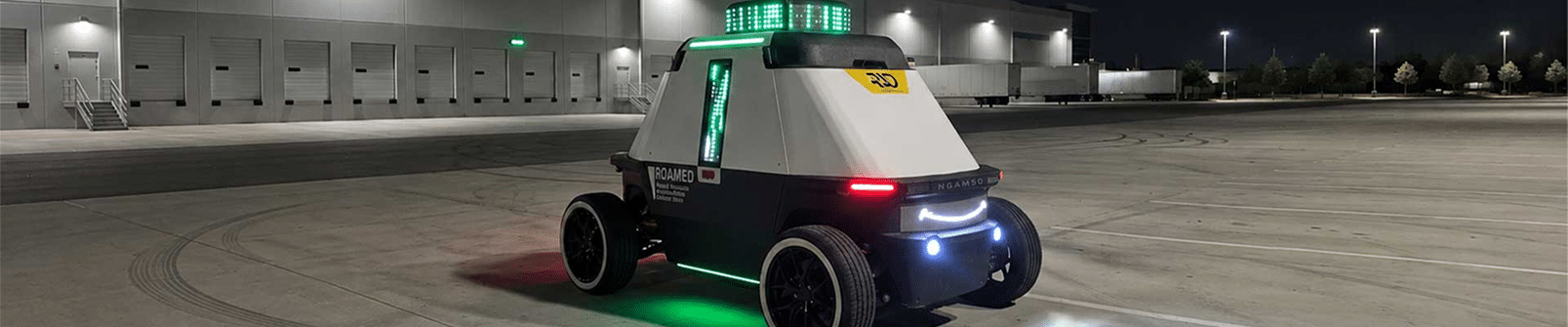
These larger driverless platforms can carry cameras over long routes for hours, which makes them a fit mainly for big, controlled sites such as industrial campuses and distribution centers. They report unusual activity; they don’t respond to it. For most apartment and commercial properties, public access, pedestrians, uneven surfaces, and liability make them a future consideration, not a current purchase.

When the Drone Isn’t Yours
An unexpected drone overhead may be harmless, or it may be photographing residents, interfering with operations, or carrying something over a fence. The distinction that matters is between a brief sighting and behavior that is persistent, targeted, or tied to a sensitive area: repeated flights, hovering near windows, following people, returning at the same time. Train staff to report facts, not assume intent.
• Observe and document. Time, location, direction, duration, repeated behavior. Photos or video only when it’s safe.
• Protect people and operations. Move sensitive activity indoors, close blinds, keep people clear of any physical hazard.
• Notify the right parties. Follow the incident procedure: management, security, emergency services, or law enforcement as circumstances warrant.
• Preserve and review. Retain footage and reports, look for patterns, update the response plan.
What You Can and Cannot Do
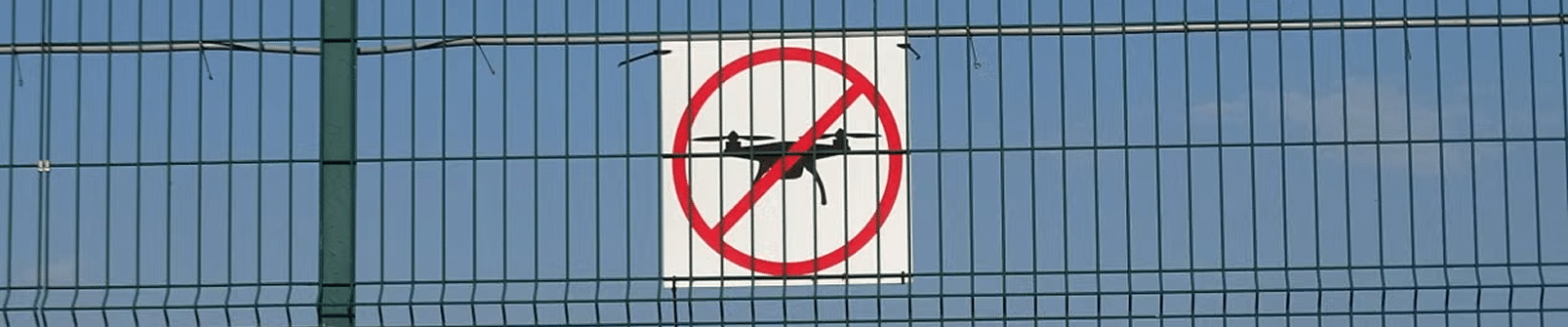
Property personnel can observe, document, protect sensitive activities, preserve video, and notify authorities. They should not jam, strike, capture, or attempt to take control of a drone; those actions create serious legal and safety problems. Obtain legal guidance before implementing any counter-drone program.
Most properties don’t need specialized drone-detection equipment. A clear reporting procedure and good incident documentation are usually more practical than new technology.
Before You Deploy
Rules governing drones, robots, surveillance, and collected data vary by location and change over time. Don’t rely on a salesperson’s assurance that a use is permitted; involve the provider, legal counsel, your insurer, and internal stakeholders first. For drones, require the provider to state in writing that its operation is legal, name who holds the certifications, and say who is responsible if an approval lapses. Buy what can be operated lawfully today, not what future rule changes might allow. Privacy deserves particular attention at occupied properties: camera angles should avoid views into homes or neighboring property, and residents and employees should get appropriate notice before
routine operations begin. Establish in the contract who owns the data, who can access it, how long it’s retained, whether audio is recorded, and what the vendor may use for its own purposes.
Property Manager’s Deployment Checklist
Confirm the operational need, site suitability, monitoring and response responsibilities, full cost, maintenance support, insurance coverage, applicable aviation and local rules, privacy and data-retention practices, accessibility concerns, resident or employee notice, and a method for measuring performance.
The Bottom Line
A robot or drone should do the same job as everything else on the property: discourage trouble, notice it early, help someone figure out what’s happening, and get the right response moving. Before signing anything, you should be able to answer: What problem are we solving? Why is an autonomous device the right tool? Who monitors it? Who responds? What happens during downtime? What does it really
cost? How will we know it’s working?
A limited, well-measured deployment beats a large purchase based on new technology or promised savings, every time.